12 website mistakes that cost Nigerian businesses customers
Twelve common website mistakes, from hidden prices and slow pages to "not secure" warnings and a domain you do not own, with a simple fix for each.
 NuelFounder & CEO

The website mistakes that cost Nigerian businesses the most customers are hiding prices, slow pages on mobile data, no WhatsApp button, no clear next step, and a domain the business does not own. Each one has a simple fix. This guide shows twelve mistakes and how to correct them.
1. Your prices are hidden
Customers want to know if they can afford you before they message you. When prices are hidden, many people leave without asking.
Fix: Show prices, even as "from" prices. A line such as "Braids from ₦15,000" is enough.
2. The website is slow on a phone
Most of your visitors use a phone and mobile data. Large photos and heavy effects make them wait, and people who wait often leave.
Fix: Make photos smaller before you upload them. Remove sliders and videos that play by themselves. Test your website on your own phone with data, not on office Wi-Fi.
3. There is no WhatsApp button
In Nigeria, many sales happen in a WhatsApp chat. If a customer has to copy your number and open WhatsApp by hand, some will not bother.
Fix: Put a WhatsApp button on every page. Make it open with a message already typed, such as "Hello, I want to book a haircut." Read more in WhatsApp and a website: how to get more orders from both.
4. Visitors do not know what to do next
A page with ten buttons is as bad as a page with none.
Fix: Choose one main action for each page. For example: "Book now", "Order on WhatsApp" or "Get a price".
5. Nobody can tell where you are
Customers ask "where are you located?" every day. If your website does not answer, they ask on WhatsApp or go to someone nearer.
Fix: Put your full address, a map and your opening hours on the website. Use the same address on Google.
6. You are not on Google Maps
A website helps people who already know your name. Google Maps helps people who are searching for what you sell.
Fix: Set up your Google Business Profile and link it to your website. See how to put your business on Google.
7. The photos are not yours
Stock photos of people who are clearly not your staff make a business look less real.
Fix: Use real photos of your shop, your team and your work. Clear phone photos in good daylight are fine.
8. You do not own your domain
If your designer registered the domain in their own name, they control your website and your business email. If you fall out, you may lose both.
Fix: Ask for the domain to be moved into your name. For a new website, ask for this in writing before you pay.
9. Nobody looks after the website
A website with no updates and no backup is easy to hack and hard to recover.
Fix: Pick one person or one company to update it, back it up and renew the domain. See what website maintenance costs.
10. Your website is not showing on Google
You type your business name into Google and nothing comes up. The common causes are:
- The website is new and Google has not found it yet.
- A setting tells search engines to stay away. Some website builders switch this on while a site is being built, and nobody switches it off.
- There is very little text on the pages, so Google has nothing to understand.
Fix: Add your website to Google Search Console, which is free, and submit your sitemap. Check that nothing is blocking search engines. Write clear text on each page about what you do and where.
11. The browser says "Not secure"
Browsers show "Not secure" when a website has no SSL certificate. Customers see this and leave, especially on a page that asks for their details.
Fix: Ask your host or developer to switch on SSL. Most hosting companies offer a free certificate. Your web address should then start with https.
12. Your website does not load well on a phone
The text is tiny, buttons are too close together, or the page is wider than the screen. This happens when a website was designed for a computer only.
Fix: Open every page on your phone. If you must pinch and zoom to read, the website needs a mobile-friendly design.
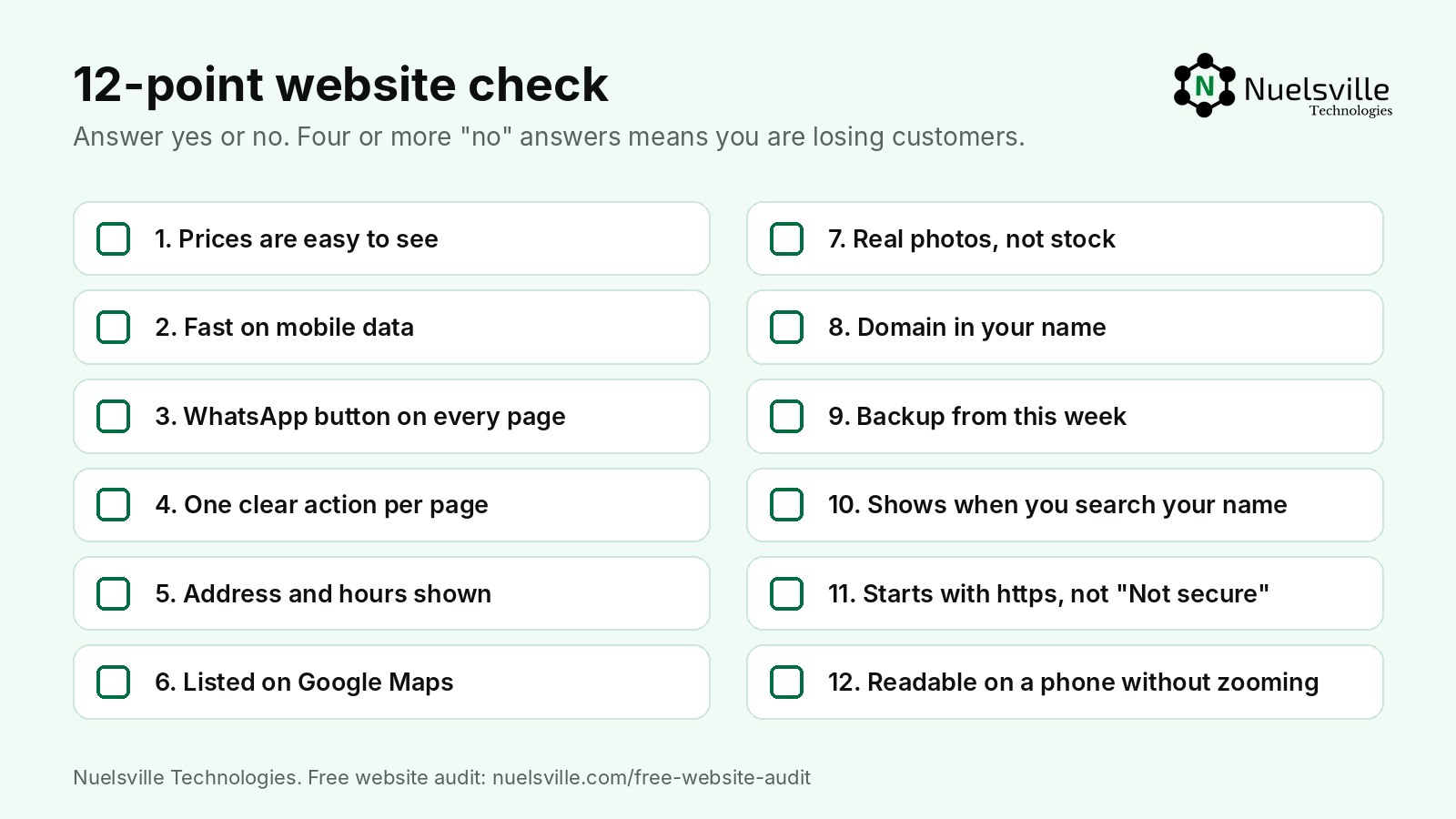
A quick check you can do today
| Check | Yes or no |
|---|---|
| Can a new visitor see your prices? | |
| Does the home page load quickly on mobile data? | |
| Is there a WhatsApp button on every page? | |
| Is there one clear action on each page? | |
| Are your address and hours easy to find? | |
| Are you on Google Maps? | |
| Are the photos really yours? | |
| Is the domain in your name? | |
| Is there a backup from this week? | |
| Does your business show when you search its name on Google? | |
| Does the address start with https, with no "Not secure" warning? | |
| Can you read every page on a phone without zooming? |
If you answered no to four or more, your website is losing you customers.
Which mistakes to fix first
If your budget or time is small, fix them in this order. The first ones cost little and bring the fastest results.
- Add a WhatsApp button and your prices. You can often do this yourself in an hour.
- Get on Google Maps. A Google Business Profile is free.
- Fix "Not secure". Your host can usually switch on SSL at no cost.
- Move the domain into your name. Do this before anything goes wrong, not after.
- Speed up the mobile version. Smaller photos are the quickest win.
- Set up backups and updates, or hand them to someone on a care plan.
Want someone to check it for you?
Ask for a free website audit. Send us your website or Instagram page and we will send you five practical fixes within 48 hours. It is free.
For a repair or rebuild, see our website development services in Enugu and online-store package.
Questions people ask
What are the most common website mistakes?
Hidden prices, slow pages on mobile data, no WhatsApp button, no clear next step, no address or opening hours, and a domain the business does not own.
Why is my website not bringing customers?
Usually because people cannot find it on Google, it loads slowly on a phone, or it does not tell visitors what to do next. Check your Google Business Profile, your page speed and your main button.
How do I make my website load faster in Nigeria?
Make your photos smaller, remove sliders and videos that play by themselves, and test on a phone with mobile data. A well-built website should work on a weak network.
Should I put prices on my website?
Yes. Even a from price helps. It saves you from answering the same question all day and brings you customers who can already afford you.
Why is my website not showing on Google?
The website may be new, a setting may be blocking search engines, or the pages may have too little text. Add the site to Google Search Console, submit your sitemap and check that nothing blocks search engines.
Why does my website say not secure?
Your website has no SSL certificate. Ask your host or developer to switch it on. Most hosting companies offer one for free.
Do you work with businesses outside Abuja?
Yes. We are based in Abuja and work with businesses in Lagos, Enugu, Port Harcourt, Kano and Accra over WhatsApp and video calls. We do not have offices in those cities.

Nuel
Seyi Emmanuel Adedoyin is the founder of Nuelsville Technologies, a web and software studio in Abuja. He builds websites, booking systems and business software for Nigerian businesses.
About Nuel